
Tech4Good / Tech4Impact and Tech Tips
for Mission-Based Organizations
how to support my work &
this web site
"If the users
can't use it, it doesn't work
"If it doesn't work, the users can't use it"
This is my technology philosophy.
 When I first started my web site
back in 1996, it was focused on helping nonprofits use
computers and the Internet. The focus of my web site has
changed and expanded, and I'm much more focused on communications / public relations
and volunteer engagement
and international
development now, but my technology philosophy never has
changed.
When I first started my web site
back in 1996, it was focused on helping nonprofits use
computers and the Internet. The focus of my web site has
changed and expanded, and I'm much more focused on communications / public relations
and volunteer engagement
and international
development now, but my technology philosophy never has
changed. My advice regarding computer and Internet use is focused on cause-based / mission-based organizations (nonprofits, non-governmental organizations or NGOs, public sector organizations, civil society organizations, etc.), including those working in and for developing countries. And it is based on more than 30 years of work regarding #tech4good.
Employees and volunteers at cause-based / mission-based organizations have to stretch existing resources a long, long way, and they may not have the resources to hire a full-time tech manager or even a short-term consultant, let alone purchase specialized database software or send employees to computer training. My tech-related advice is made with those organizations with extremely limited resources primarily in mind. And that means that some readers may find the information too basic. But based on the messages I still regularly receive and my own first-hand experience working with nonprofit organizations, this basic tech-related information fills in a lot of gaps left by various software manuals and workshops and organizations that claim to be trying to bridge the digital divide -- I provide basic information that those groups think most people already understand.
My advice is given in as much non-technical terminology as possible, because tech jargon changes yearly - maybe monthly. Also, my advice is focused more on the human-side of technology use, more on the user of the technology, rather than the tech itself. That's the reason the advice remains rather timeless, in my opinion: tech trends come and go, but the best practices for getting the most out of networked technology largely stays the same.
In addition, I believe that: success in using technology tools is driven by user attitude. Users who want to reach out, to make people feel informed and involved, who are committed to quality and timeliness, and who are ready to try something even at the risk of making a mistake are the people who flourish using technology. People who hate change, don't like sharing information freely and continually, and don' like involving others in their work are those that struggle with technology. What's your attitude?
This advice comes from the many years I have spent using computers and the Internet and working with volunteers in tech-related projects, as well as reading articles whenever I can. This advice is further enhanced by continued suggestions posted to various online discussion groups.
- Making a short video for
your nonprofit with just the tech you have.
Most nonprofits, no matter their size, no matter their focus, need at least one short video that succinctly explains their programs and their impact, or a video that shows how the organization engages volunteers. They may also need a video that helps onboard program participants or explains safety measures. Your small nonprofit with just a handful of staff - maybe just a few employees, maybe just one employee, maybe all volunteers (unpaid staff) - may think it cannot make such a video, because it can't afford a professional videographer. In fact, you can, and with just the tech assets you have. This resource takes you step-by-step in how to identify the hardware and software you have right now, via your smart phones and laptops and operating systems, and how you can leverage that very basic technology, as well as the photos you may already have on hand, to create videos you need, from videos of clients explaining the impact of your programs to short videos for Facebook and Instagram reels, Tik Tok, and whatever else shows up as the fun new social media. Note: this is the first tech-focused resources I've created on my web site in YEARS. It's nice to get back to the subject that inspired this web site back in 1996.
- A New Nonprofit's First
Online Steps (& some software tips as well)
You are leading a brand new nonprofit, charity, NGO or other community group. You have the basics for your program's existence in place: your board of directors, your business plan covering what you want to achieve in the first year and how you will do that, and you've filed, or are filing, your by-laws and other paperwork with the state and the IRS. But now, in addition to all of the other things you need to do next, you also need to take some first steps in terms of being online and what software you need to buy. This web page can help you.
- Keeping
Volunteer Information Up-to-Date
Keeping track of volunteer information is a challenge. At minimum, an organization has to keep track of volunteers' up-to-date email address and phone number. Organizations also need volunteers to report what they are doing as volunteers and how many hours they are contributing -- each day, each week or each month. Having this information for volunteers is vital to the sustainability of volunteer involvement. This page offers suggestions on how to keep volunteer information up-to-date, with the goal of getting the information your organizatin needs with minimal effort on your part. - Dos & Don'ts of Using
Artificial Intelligence at Nonprofits: the case for
integrity, authenticity & originality.
This is not a list of AI tools. There are plenty of people and companies out there offering such lists. Instead, this is a list of things nonprofits can and should do with AI tools, and a list of things I feel strongly that nonprofits should NOT do. Before your nonprofit starts considering any AI tool, you need to consider the issues presented on this page. Otherwise, you won't be making fully-informed decisions, and you may be replacing authentic, human presentations at a time when authentic human-to-human connections have never been needed more. My resource is written in plain language to help give any nonprofit, non-governmental organization (NGO), charity, community group or people-caring government agency an understanding they can use to ask more specific questions of those trying to push them into using AI and to guide them in their use of AI no matter what tools they choose. - Finding a
Computer/Network Consultant
Staff at mission-based organizations (nonprofits, civil society organizations, and public sector agencies) often have to rely on consultants, either paid or volunteer, for expertise in computer hardware, software and networks. Staff may feel unable to understand, question nor challenge whatever that consultant recommends. What can mission-based organizations do to recruit the "right" consultant for "tech" related issues, one that will not make them feel out-of-the-loop or out-of-control when it comes to tech-related discussions? - One(-ish) Day
"Tech" Activities for Volunteers
Volunteers are getting together for intense, one-day events, or events of just a few days, to build web pages, to write code, to edit Wikipedia pages, and more. These are gatherings of onsite volunteers, where everyone is in one location, together, to do an online-related project in one day, or a few days. It's a form of episodic volunteering, because volunteers don't have to make an ongoing commitment - they can come to the event, contribute their services, and then leave and never volunteer again. Because computers are involved, these events are sometimes called hackathons, even if coding isn't involved. This page provides advice on how to put together a one-day event, or just-a-few-days-of activity, for a group of tech volunteers onsite, working together, for a nonprofit, non-governmental organization (NGO), community-focused government program, school or other mission-based organization - or association of such. - Tech4Good
An online community on Reddit - a subreddit - for the discussion of examples, resources and ideas for applying apps and online tools to activities supporting causes that help humans and the environment. It's a place to discuss hackathons / hacks4good, apps4good, community tech centers, ICT4D, ethics regarding such, etc., and even for-profit companies that have deveoped something tech-related that is having an impact in developing countries, microbusinesses, farmers, etc. It's also a place to discuss how a nonprofit, NGO or community program you work or volunteer with is leveraging ICT - computers, smart phones, online communities, apps, special software - to do its work. This is a subject I have been focused on since the 1990s.
- Survey of software
tools used to track and manage volunteer information
With Rob Jackson. Published online July 11, 2012. In March and April 2012, Rob and I drafted a survey, in English, regarding software used to manage volunteer information. The purpose of the survey was to gather some basic data that might help organizations that involve volunteers to make better-informed decisions when choosing software, and to help software designers to understand the needs of those organizations. We also wanted to get a sense of what organizations were thinking about volunteer management software. We chose wording in our messaging that we hoped would reach those who might not identify as volunteer managers, but who do recruit and/or support volunteers, such as fundraising staff, reception staff, office managers, and volunteers themselves. Here is a blog that summarizes the report.
- Advice on Choosing Volunteer
Management Software
Some of the most frequently-asked questions to me are regarding volunteer management software: what's available, how different packages compare with each other, the cost of each, the features of each, and on and on. I used to try to maintain such. For two decades I tried. But I've given up. Instead, my page is now on how to identify what features you need and how to evaluate software. How to access the last version of the list I maintained is listed on the page. - Fundraising for
Technology
How to get a foundation or angel donor to buy laptops, tablets or smart phones for a nonprofit or charity is a frequently asked question on numerous online discussion groups. Can it really be done? This resource offers realistic advice.
- Web Development,
Maintenance, Marketing for non-Web designers
A step-by-step guide to web development and maintenance for people who are NOT web designers or web masters, as well as information on how to market your web site. If you have to manage a web designer or web master, this section of my web site is also for you. - How To Successfully Move an
Online Discussion Group
Thinking of moving your online discussion group / online community from one platform to another? Maybe the platform you have used for years has become too expensive. Or maybe that platform is going away altogether because the company has decided to discontinue it (like what happened to YahooGroups). Maybe the upgrade to the platform you have been using is not at all to your liking. Or maybe you have decided there is a better platform that will provide you and your community with the features it needs. There are upsides and downsides to moving an online community. How can you move a community in a way that reduces the number of community members you lose and so that you don't lose valuable content from your community - knowledge acquired over years that you want to continue to be readily available? This guide can help. This is advice for content managers / community managers (facilitators and moderators), from a techy point of view but from a how-to-guide-your-IT-department point-of-view.
- Using Whats App
or Similar Direct Messaging Apps in Volunteer Support
& Engagement
Includes examples, how to get started, and evaluating if this is something you should explore.
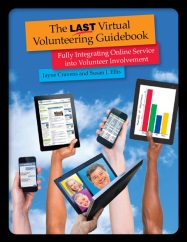 The Last Virtual Volunteering Guidebook
 by Jayne Cravens and Susan J. Ellis
available for purchase as a paperback & an ebook
Published January 2014.
- Lessons from NetAid and
onlinevolunteering.org
Some key learnings from directing the UN's Online Volunteering service from February 2001 to February 2005, including support materials for those using the service to host online volunteers. - Where to Find Online
Volunteering Opportunities
My work is focused mostly on nonprofits, government agencies and other mission-based programs, but a lot of individuals that want to volunteer contact me as well, often about where to find online volunteering opportunities. I created this page for anyone looking to quickly get into virtual volunteering, whether it's a long-term, high-responsibility commitment or a micro task. I also have a list of high-impact virtual volunteering ideas, for those looking to do more than just completing some online tasks for a nonprofit.
- Women's
Access to Public Internet Access in Transitional and
Developing Countries
Home and family obligations, lack of transportation, low-literacy and perceived lack of value keep many women and girls from accessing public Internet access points in developing and transitional countries. But there's another factor that is rarely talked about: in developing and transitional countries in particular, many of these public access points can be male-dominated, with mostly male users and few -- or no -- female users, and for many women, particularly women in developing countries, this makes the public access point off-limits to them. This new web page advocates for women-only Internet centers, or women-only hours at such, and offers resources to support such efforts. This page was born out of an online event / discussion on TechSoup in 2003. - United
Nations Tech4Good / ICT4D Initiatives
a list of the various United Nations initiatives that have been launched since 2000 to promote the use of computers, feature phones, smart phones and various networked devices in development and humanitarian activities, to promote digital literacy and equitable access to the "information society," and to bridge the digital divide. My goal in creating this page is to help researchers, as well as to remind current UN initiatives that much work regarding ICT4D has been done by various UN employees, consultants and volunteers for more than 15 years (and perhaps longer?). - Advice for staffing a
community technology center
This is Chapter 4 from the August 14, 2000 version of the Community Technology Center Start-Up Manual, published by the Community Technology Center Network - CTCNet. While community technology centers and community computer labs have, for the most part, come and gone, these guidelines are still quite valid and easy to adapt for any Tech4Good / tech capacity-building initiative, such as one at a senior center, a youth community center, a library, even a community of faith (church, temple, mosque, etc.). - Defunct Tech4Good web sites, and
other sites, I still refer to
Organizations that are gone but I still use their old web sites Defunct websites, or web sites of now defunct organizations, still available on the Internet Wayback Machine. Note that many of these URLs may still be functional, but have long been taken over by other companies, including porn sites. To see the original web sites. cut and paste a URL into archive.org and look for the earliest version of the web site. Most of these started being abandoned in 2002. - Using the Internet to
Share Your Adventure During Your Adventure
Advice on blogging, photo-sharing, tweeting, etc. while you are traveling. - Is Your Staff "Walking the
Talk" Re: Your Organization's Online Activities?
Mission-based organizations use the Internet in all sorts of ways to interact with the public, or with staff and volunteers abroad: for instance, online discussion groups, an intranet where staff and volunteers can share profiles about themselves and updates about their work with each other, or an online service that is promoted as central to the organization's mission and identity. But is your staff showing leadership in using these online tools? If your organization is to use technology successfully, all staff must embrace it. Here are tips on how to encourage that. . - Non-IT Staff Taking the
Lead on the Exploration of Technology Use
An IT professional is not always the best person to *lead* at a mission-based organization regarding use of information communications technologies (ICTs) to meet the organization's mission and help staff members do their jobs. Originally published in Tech4Impact. - Introducing New Technology
Successfully into an Agency
and Why Your Agency Needs a Technology Plan
Many mission-based organizations invest considerable resources in computer hardware, software and staff training for computerized systems that then end up being under-utilized and failing to live up to their vast potential, because the staff had unrealistic expectations for the technology, or they never bought in to the idea of the technology in the first place. Many agencies also don't create technology plans, and end up engaging in crisis management that effects fund raising, staffing and the agency's mission-based activities. This tip sheet provides an overview of the reasons to computerize or upgrade a system, the disadvantages and risks, getting staff buy-in, and links to other resources. - Early History of
Nonprofits & the Internet
The Internet has always been about people and organizations networking with each other, sharing ideas and comments, and collaborating online. It has always been interactive and dynamic. And there were many nonprofit organizations who "got" it early -- earlier than many for-profit companies. So I've attempted to set the record straight: I've prepared a web page that talks about the early history of nonprofits and the Internet. It focuses on 1995 and previous years. It talks a little about what nonprofits were using the cyberspace for as well at that time and lists the names of key people and organizations who helped get nonprofit organizations using the Internet in substantial numbers in 1995 and before. Edits and additions are welcomed. - Overview of Databases
- Database Terms
- "Flat" and Relational Databases
- How Databases Are Joined
- Shopping for Database Software?
This web page is no longer updated.
- Database Terms
- Stages of Maturity
in Nonprofit Orgs Using Online Services
What does a networking technology-savvy nonprofit organization look like? To help nonprofits think about networking tech standards they should pursue, and possible goals for the future, I've created this assessment of the states of maturity for a nonprofit organization's use of networking/online technologies.
This web page is no longer updated. - Basic Customer Database
Principles
The very first tech or nonprofit advice I ever published on the Internet. It started as a post on the USENET newsgroup soc.org.nonprofit: What information should you track about donors, volunteers, clients, community members, potential audiences, etc? Who should be in charge of the database? What about security members? Should you delete people off of your database? This is basic information about database management for cause-based / mission-based organizations, presented in as non-technical terms as possible, and written so that it doesn't matter what software you use - the principles still apply.
This web page is no longer updated. - Customer Database Regular
Maintenance
A database is only as valuable as the quality of information in it. How do you maintain that quality in the data you are gathering?
This web page is no longer updated. - Importing Information Into a
Database
Just because your fund raising consultant uses a Macintosh and you have an IBM clone, or just because she uses one kind of database program and you use another, doesn't mean you can't import information from her database -- or just about any other database -- into your own.
This web page is no longer updated. - Resources For Users of Older
Computers
Mission-based organizations, particularly small ones, often don't have the option to buy or to upgrade their computers to the latest and greatest toys on the market. Heck, neither do a lot individuals! Plus, there are those of us who find the constant upgrading and discarding of computers extremely wasteful and unnecessary. Even in the new millennium, you CAN get a lot out of such older computer systems -- you can surf the Internet, send and receive e-mail, create databases, do desktop publishing, etc. This tip sheet will show you that a lot can be done with just a little technology, and where to find resources for your older computer. LOTS of links to other resources as well.
This web page is no longer updated. - I love my lime iBook
Read how I walk my talk regarding using old hardware and software, showing that it has a much, much longer shelf life than the media and many others will admit. And, I hope, this page can help others using "older" computer tech to get more speed and power from such. - Free Help With Databases &
Software
Free templates and online advice are harder and harder to find on the web, particularly for nonprofit organizations. This page documents some of the very few left online.
This web page is no longer
updated. - Using a Cell Phone or
Feature Phone as a Smart Phone
Though it may be hard for those of you have smart phones to believe, not everyone has a smart phone. Millions of people simply cannot afford a smart phone. Some of them use a simple cell phone, with very limited capabilities: the ability to make and receive phone calls and text messages. Some people have something that's more than a cell phone but less than a smart phone: they have a feature phone, which has some web browsing capabilities. Can you use a simple cell phone or a feature phone as a smart phone? Yes! There are several free online tools that can help you use whatever phone you have interact with various Internet tools and help your phone be something more than for making phone calls. This web page is no longer updated.
Quick Links
 my home
page my consulting services
&
my workshops &
presentations my credentials &
expertise Affirmation that the
material on this web site is created & managed
by a human. My book: The
Last
Virtual Volunteering Guidebook contact me or
see my schedule Free Resources: Community Outreach, With &
Without Tech Free Resources: On Community
Engagement, Volunteering & Volunteerism Free Resources: Technology Tips for
Non-Techies Free Resources: Nonprofit, NGO &
other mission-based management resources Free Resources: Web Development,
Maintenance, Marketing for non-Web designers Free Resources: Corporate philanthropy /
social responsibility programs Free Resources: For people & groups
that want to volunteer linking to or from my web
site The Coyote Helps
Foundation me on social media
(follow me, like me, put me in a circle, subscribe to
my newsletter)
my home
page my consulting services
&
my workshops &
presentations my credentials &
expertise Affirmation that the
material on this web site is created & managed
by a human. My book: The
Last
Virtual Volunteering Guidebook contact me or
see my schedule Free Resources: Community Outreach, With &
Without Tech Free Resources: On Community
Engagement, Volunteering & Volunteerism Free Resources: Technology Tips for
Non-Techies Free Resources: Nonprofit, NGO &
other mission-based management resources Free Resources: Web Development,
Maintenance, Marketing for non-Web designers Free Resources: Corporate philanthropy /
social responsibility programs Free Resources: For people & groups
that want to volunteer linking to or from my web
site The Coyote Helps
Foundation me on social media
(follow me, like me, put me in a circle, subscribe to
my newsletter) how to support my work
To know when I have developed a
new resource related to the above subjects, found
a great resource by someone else, published
a
new
blog, uploaded a
new video,
or to when & where I'm training or presenting,
use any of the following social media apps to
follow me on any of these social media platforms:






Disclaimer: No guarantee of accuracy or suitability
is made by the poster/distributor of the materials on
this web site.
This material is provided as is, with no expressed or
implied warranty or liability.
See my web site's privacy policy.
Permission is granted to copy, present and/or distribute a limited amount of material from my web site without charge if the information is kept intact and without alteration, and is credited to:

Otherwise, please contact me for permission to reprint, present or distribute these materials (for instance, in a class or book or online event for which you intend to charge).
The art work and material on this site was created and is copyrighted 1996-2026
by Jayne Cravens, all rights reserved
(unless noted otherwise, or the art comes from a link to another web site).